๐ŸงŠ Solve 4x4 in Under 60 Minutes

Beginner methodโ€”no hard algorithms. Practice โ†’ sub-3 minutes guaranteed.

๐Ÿ“ Notation Key

Click here to see notation!
1

White Center Creation

3 min
White Center
GOAL

๐ŸŽฏ What to do:

  1. Find the white center pieces which look like this
  2. White center piece
  3. Pair two of the white center pieces to form a bar of 2 like so
  4. White bar
  5. Make a second bar of 2
  6. Second white bar
  7. Match the 2 bars together to form a white center
  8. white center

You should have a 2x2 white center block in the middle!

2

Yellow Center Creation

3 min
GOAL

๐ŸŽฏ What to do:

  1. Make sure to hold the cube so that the white center is on the bottom facing the floor
  2. Find a yellow center piece
  3. Yellow center piece
  4. Pair this yellow center piece with another one to create a yellow bar, make sure not to destroy the white center (or you could destroy it and fix it) and move it to the top face if not already there
  5. Yellow bar

    Different Cases for step 3 (to provide logical methods)

    1. Both centers aren't in the middle faces (the faces: F,R,L,B)
    2. Both yelcenter on middle solu for yelcenter on middle

      Then move to the top

      solu for yelcenter on middle + move to top solu for yelcenter on middle + move to the top part 2 solu for yelcenter on middle + move to the top part 3
    3. One center is in a middle face and the other center is in the top face.
    4.  yelcenter on up + middle  solstep1 yelcenter on up + middle  solstep2 yelcenter on up + middle  solstep3 yelcenter on up + middle
  6. Make a second bar on the middle layer with the method above (just don't put it to the top)
  7.  solstepyelcenter

    Logical method for step 4

    1. Make sure both the bar in the middle and the bar in the top are vertically oriented like in the picture above on the same verticle layer.
    2.  2yelbarvertalign
    3. Do this to create the yellow center.
    4. first move the layer with the two bars on the verticle layer up with an r.

       solstepyelcenterprt2

      then move the top layer 2 times any direction like this

       solstepyelcenterprt3

      then move the layer you moved up, down

       solstepyelcenterprt4

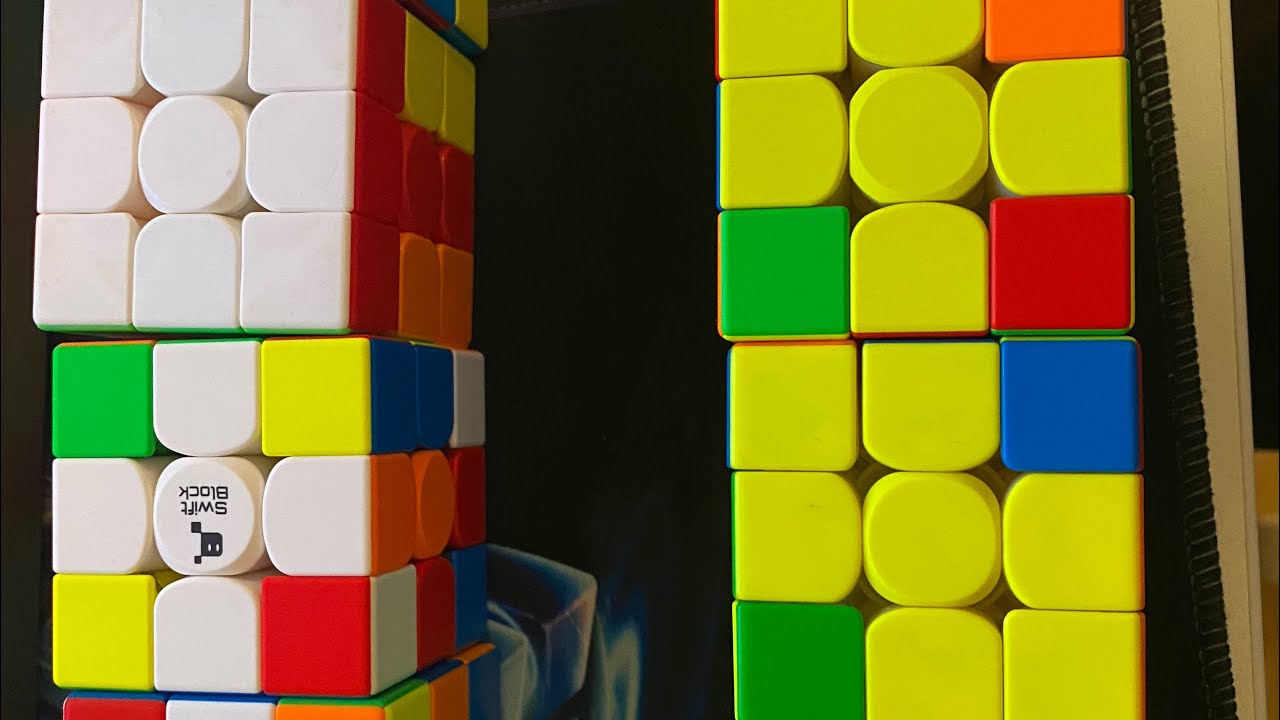
You should have a white center at the bottom and a yellow center at the top by the end of this step.
3

Other Center Creations

5 min
GOAL

๐ŸŽฏ What to do:

  1. Create a bar of another color in the center faces (the top is yellow, the bottom is white)
  2. Create a second bar another color.
  3. Create that color center.
  4. After the first center, when you are creating bars of colors, you have to make sure you don't mess up those already created centers
  5. Here is some ways to not damage the previously created centers when creating bars of different colors
  6. logical methods for step 5 of step 3

    1. When you have a center on one face and another center on another face which can be turned into a bar with one move
    2. First identify the centers (done here with arrows)

      we can tell this can be turned into a bar in one move because we can turn this into a bar with an move but that destroys the other centers

       solstepothcenterprt1

      Then move the cube to create a bar while destroying the other centers (don't worry we will fix them later)

       solstepothcenterprt2 u

      Then rotate the face of the bar so that the move you just made can be reversed without destroying the bar you just created

       solstepothcenterprt3 F

      Then move the same layer you did when creating the bar but just the other direction to restore the center/s destroyed.

       solstepothcenterprt4 u'

      And there you have it, a different colored bar!

    3. When you have a center on one face and another center on another face which cannot be turned into a bar in one move and also risks other center destruction.
    4. First identify the centers (done here with arrows)

       solstepothcenterprt5

      now we move one of the faces to create the last case where a bar is creatable in one move

       solstepothcenterprt6 F'

      Then move the cube to create a bar while destroying the other centers (don't worry we will fix them later)

       solstepothcenterprt2 u

      Then rotate the face of the bar so that the move you just made can be reversed without destroying the bar you just created

       solstepothcenterprt3 F

      Then move the same layer you did when creating the bar but just the other direction to restore the center/s destroyed.

       solstepothcenterprt4 u'

      And there you have it, a different colored bar!

  7. Then create a second bar of that color using the same method while not destroying the already created centers
  8. Then match the 2 bars without destroying the other centers
  9. Here are some ways to do that

  10. First turn the 2 bars so you can make sure that they are on the same horizontal layer
  11.  solstepothcenterprt4
  12. Then turn that layer so that you destroy the center while pushing one bar onto the previous spot of the other.
  13.  solstepothcenterprt4 d
  14. Then rotate the face which the center which has replaced the prefious spot of the other like this 2 times (F2)
  15.  solstepothcenterprt4 F2
  16. Then move the layer you moved to destroy the center but just in the opposite direction so you both fix the other center and create this center
  17.  solstepothcenterprt4 d'
4

Edge Creation

5 min
White Cross
GOAL

๐ŸŽฏ What to do:

  1. In this step what you want to achieve is to match all of the edge pieces into bars of 2 of the same colors.
  2. To create a bar of two, first find 2 edge pieces which are the same colors ex: blue and red edge pieces goes with blue and red edge pieces for the bar of 2
  3. Then move the outside layers (R, U, F, D, B, L) so that the two edges are on the same face (one on the left, one on the right). If this is already the case then skip this step
  4. Once you have gotten to this step, you will have one of 2 cases:
  5. Here are the 2 cases

    1. Case 1: both of the edges are on the same slice layer (middle layer such as u or d).f

       solstepothedges

      Like when you are creating the centers, first move the slice layer either left or right

       solstepothedgesprt1

      Then do this algorithm: R U R' F R' F R

       solstepothedgesprt12

      Then move the slice layer the opposite direction of the way you moved it earlier

       solstepothedgesprt2

      Then move the formed pair to the top so it isn't destroyed later.

       solstepothedgesprt3 R/L'

      Then move it away so you can reverse your previous move (notice: if you have a solved edge on the left, or the right, don't destroy it to add this pair on the top)

       solstepothedgesprt4 U/U'/U2

      Then reverse the upward move

       solstepothedgesprt5 R'/L
    2. Case 2: Both of the edges are on different slice layers (one on u one on d)
    3.  solstepothedgesprt6

      Because they are on different layers they can be turned into a bar with one slice move

       solstepothedgesprt7 u/u'/d'/d

      Then move the bar to the top so you can reverse the slice and restore the centers without its destruction

       solstepothedgesprt8 L'/R

      Then move the bar away from the move

       solstepothedgesprt9 U,U2,U'

      Then reverse the up move

       solstepothedgesprt10 R'/L

      Then reverse the slice move

       solstepothedgesprt11 u'/u/d'/d

Each white edge's second color must match its center piece.

White Corners video
โ–ถ
5

3x3 Solve

8 min
White Corners
GOAL

๐ŸŽฏ Instructions:

  1. Pretend that the bars of 2 edges on the 4x4 are equivalent to the edge pieces of a 3x3 like this
  2.  solstep3x34x4  solstep3x34x4prt1
  3. Pretend that the corner pieces are the same
  4. Pretend that the 4 centers together form a 3x3 center piece
  5.  solstep3x34x4prt2  solstep3x34x4prt3
  6. Then solve like a 3x3
  7. During the solving of the cube, you may encounter something called "parity", when there is a case which is impossible on a 3x3
  8. Click here if you have encountered a parity to learn about the parity algorithms
  9. If you do not know how to solve a 3x3 rubiks cube, click here
  10. Click here for 3x3 tuto
White Corners Tutorial
โ–ถ
6

Parity

8 min
Solved 4x4รŸ
GOAL

๐ŸŽฏ Instructions:

  1. In parity, there are 4 different types but you only need to learn 3 of them
  2. Parity case 1: Flipped edge
  3. flipped edge 4x4 parity
    1. First orient the cube so that the flipped edge is facing you like this
    2. flipped edge parity step 1
    3. Then do this algorithm:
    4. Rw U2, X, Rw U2, Rw U2 , Rw' U2, Lw U2, Rw' U2, Rw U2, Rw' U2, Rw'
      Solved 4x4
  4. Parity case 2: PLL parity 1
    1. First orient the cube so its facing you like this
    2. 4x4pllparity1step1
    3. Then do this algorithm
    4. 4x4pllparity1step2
  5. Then solve like a 3x3
  6. During the solving of the cube, you may encounter something called "parity", when there is a case which is impossible on a 3x3
  7. Click here if you have encountered a parity to learn about the parity algorithms
  8. If you do not know how to solve a 3x3 rubiks cube, click here
  9. Click here for 3x3 tuto
White Corners Tutorial
โ–ถ